
Custom software
Business software that follows how your team actually works.
Internal systems, client portals and automated workflows — for teams that have outgrown spreadsheets, email threads and generic tools.
Have a process that needs its own system?
Ask about softwareKalem Operations — try the internal system
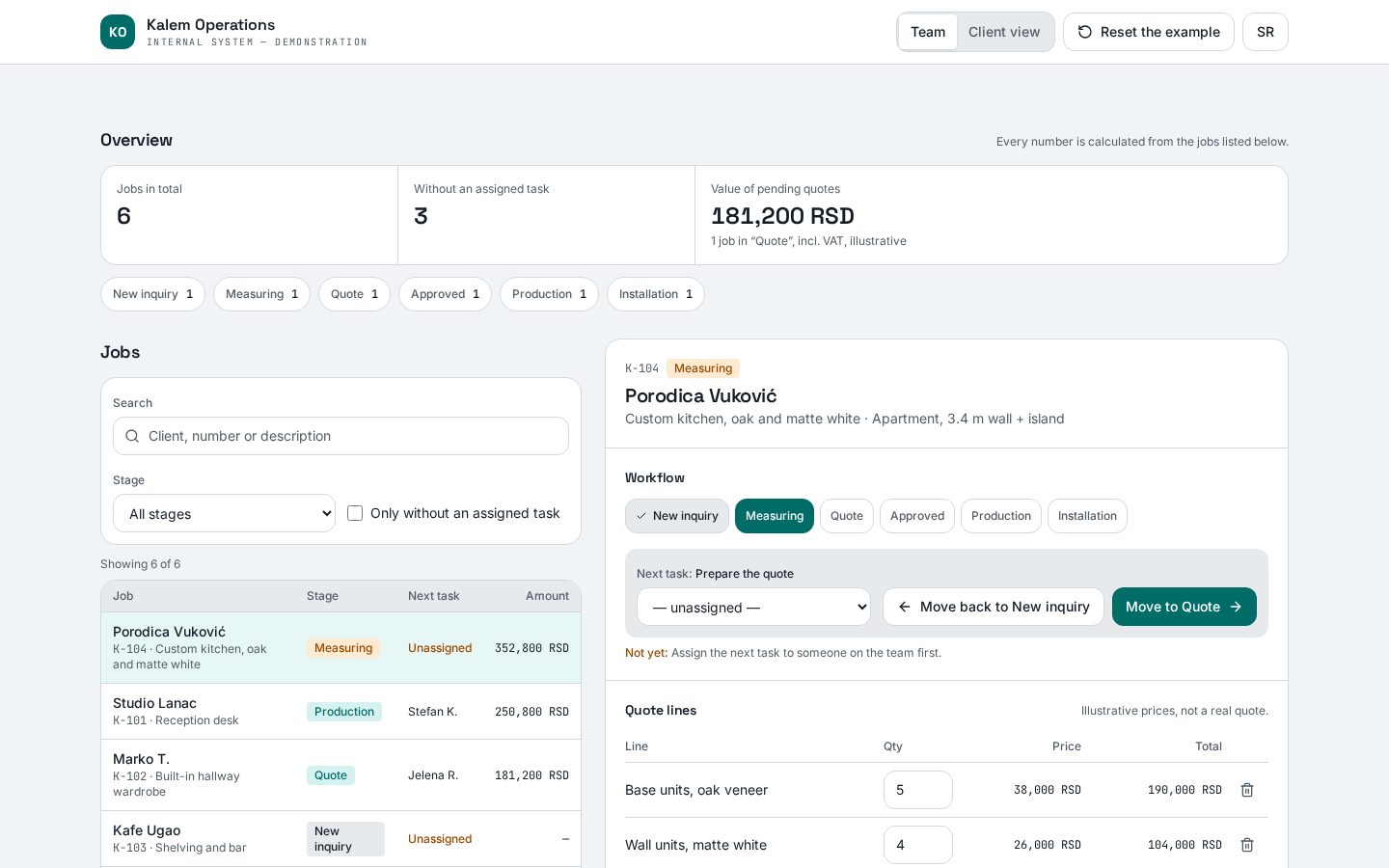
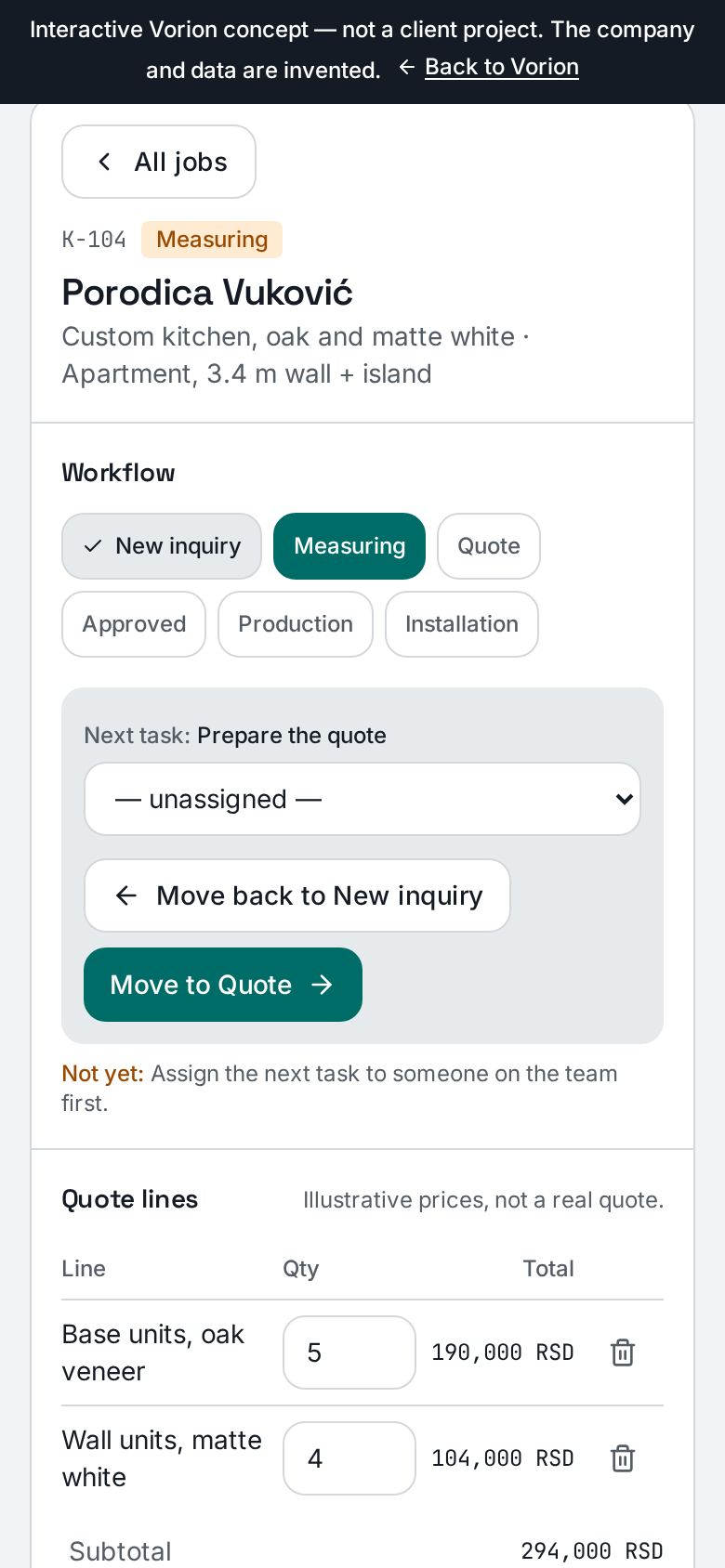
One job from inquiry to installation: quote lines with a recalculated total, task assignment, stages that can't be skipped and a client view showing the same status.
Try the demoabout 90 seconds, no personal details needed
Signs you need a system, not another spreadsheet
- 01
The same data is re-typed by hand in three places.
- 02
Only people know the status of work — not the system.
- 03
Clients ask for updates by email because they can't see them anywhere.
- 04
Approvals and reports depend on who remembers what.
What we build
Internal systems
One place for work that today lives in spreadsheets and messages.
- — Orders and quotes
- — Work orders and assignments
- — Inventory or equipment records
Client portals
Clients see statuses, documents and requests themselves — without extra calls and emails.
- — Documents and files
- — Request statuses
- — New submissions and inquiries
Workflows and automation
Repeated steps happen on their own, with a record of who did what.
- — Multi-step approvals
- — Notifications and reminders
- — Reports from existing data
What you get
- Agreed scope and a phase plan before the build starts
- A web application that runs in the browser, including on phones
- Users, roles and access rights
- Review and sign-off at every phase
- Documented handover and access
- The option of agreed support and further development
How a software project runs
- 01
Process conversation
How work flows today, where it gets stuck and what must work from day one.
- 02
Scope and phases
A written scope for the first version, roles, data and phase order.
- 03
Build in phases
Regular reviews of working parts, with changes made before they get expensive.
- 04
Launch and handover
Rollout, documentation, access and an agreement on support.
What a definition-phase output might look like
An illustrative example for the fictional Kalem workshop, not a client project document.
- Process
- Inquiry → measuring → quote version → approval → production → installation.
- First-phase scope
- Job list and detail, quote lines, statuses and a client view. No payments or automatic emails.
- Roles and rules
- A team member assigns tasks; a client approves one exact quote version. Changes require fresh approval before production.
- Acceptance criteria
- Totals and VAT match quote lines; blocked stage transitions explain why; outdated approval cannot unlock production.
- Handover and support
- Agree access, documentation, contractual rights and post-handover support scope in writing.
Actual scope, timeline and price are agreed only after a conversation.
Custom software FAQ
Wouldn't an off-the-shelf SaaS tool be better?
Often, yes. If an existing tool covers your process, we'll tell you. Custom software makes sense when your process doesn't fit existing tools.
How much does it cost?
It depends on scope, number of roles, integrations and data. Our software cost guide explains the factors; we give a concrete estimate after a conversation.
Can we start small?
Yes. We recommend a first version covering the most important workflow, then extensions in later phases.
Describe the process that slows you down — we'll reply with questions and a suggested next step.
Send a software inquiry